


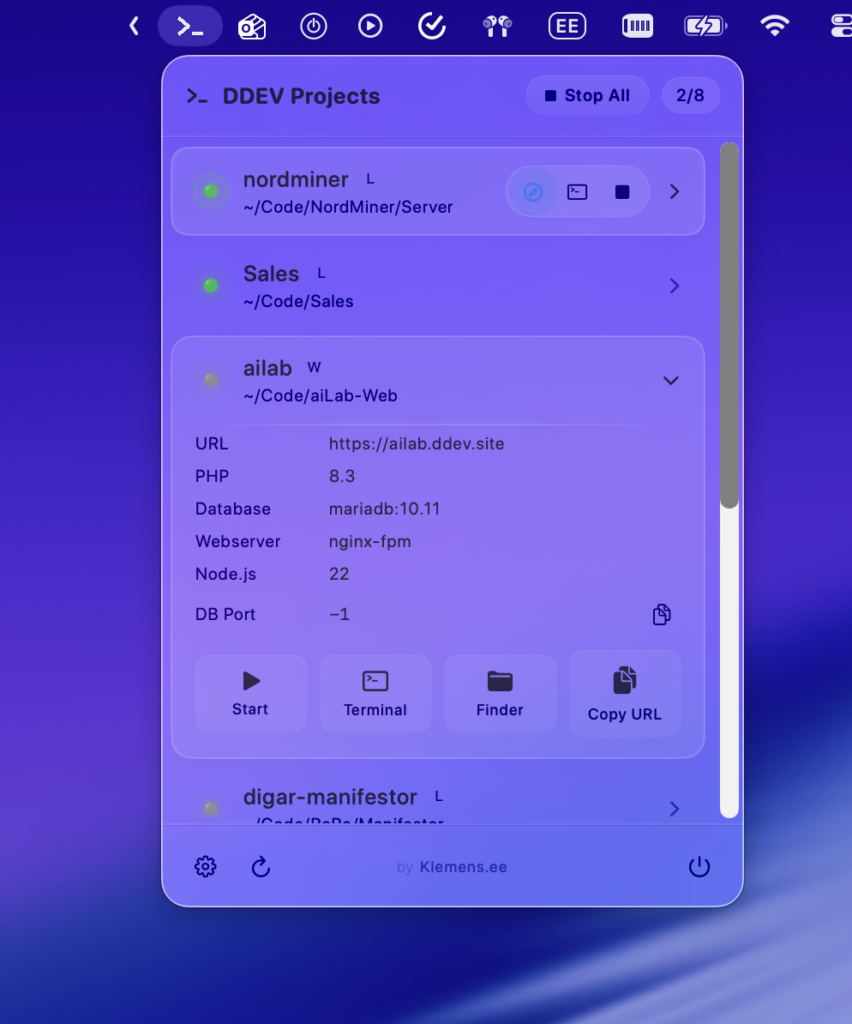
Managing DDEV projects from the terminal is fine, but constantly typing ddev list and ddev start gets old fast. I wanted a quick way to see which projects are running and control them without leaving what I’m doing.
So, I built ddevBar.
It’s a simple macOS menu bar app that shows all your DDEV projects and lets you manage them with a click. No terminal needed.
What it does
- See everything at a glance: All your DDEV projects show up in the menu bar with clear status indicators.
- One-click control: Start, stop, or restart any project without opening a terminal.
- Quick access: Jump straight to your project URL, Mailpit inbox, or open a terminal session.
- Stop All: Shut down all running projects at once when you’re done for the day.
- Launch at login: Have it ready when you start your Mac.
Download
Requires macOS 13 or later.

Changelog
v1.1 — 29 March 2026
- Fixed window size issue on macOS Tahoe where the project list would collapse and not display.
v1.0 — 7 January 2026
- Initial release.