


In my previous post, I mentioned that connecting Facebook to my cross-posting app Flux would be an adventure for another day. Well, that day came much sooner than I expected.
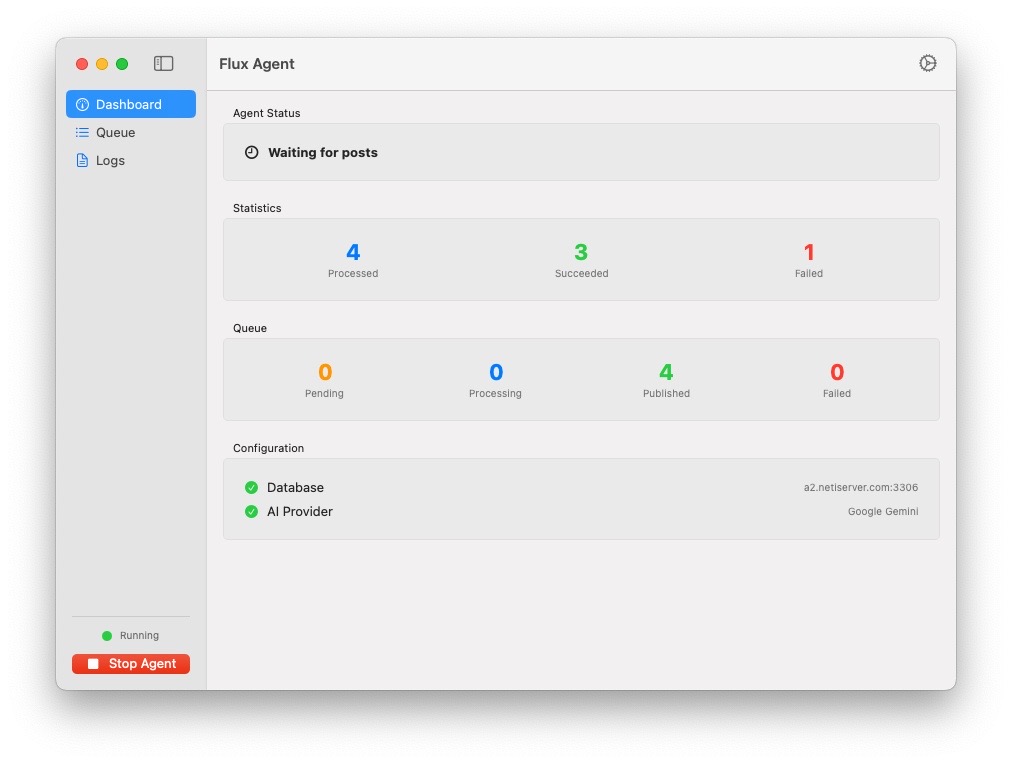
Here is the new Flux Agent:
The Facebook Problem
The core issue remained: Facebook offers no API for posting to personal pages. Furthermore, they really did not like the previous version I attempted using Playwright and Chrome.
I realized I needed a different approach. Instead of trying to bypass their systems via code, I needed to mimic an actual human user. If the system interacts with the UI visually—just like a person—the website cannot easily distinguish it from a machine. This also solves the fragility issue; if the underlying code changes but the visual remains recognizable, the agent adapts.
It started as a single use-case fix. However, it turned into a solid core system that I can now use to control anything on a computer or perform complex workflows just by changing the core prompts.
How It Works
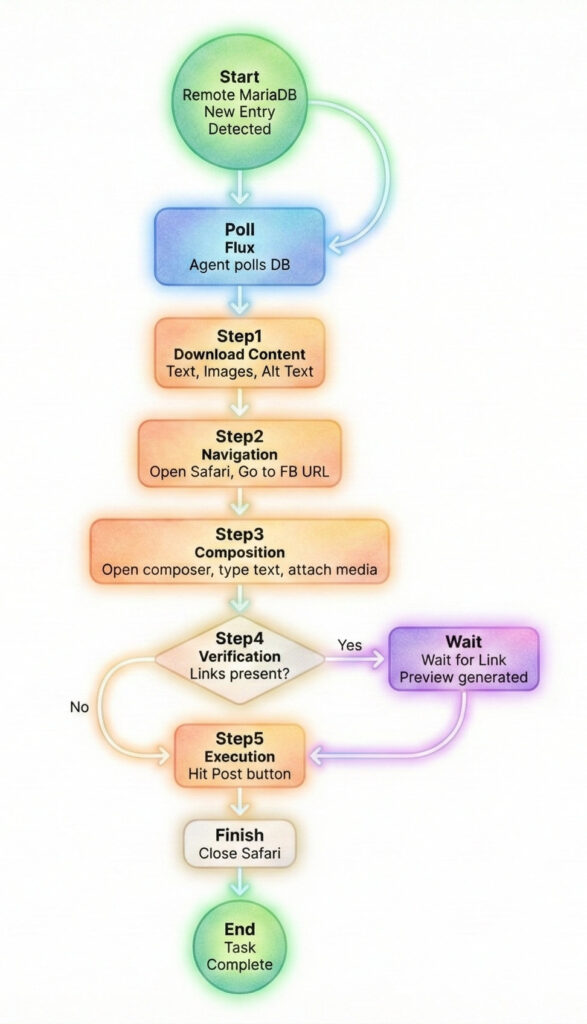
The application runs quietly in the taskbar, polling a remote MariaDB at configurable intervals.
Once it detects a new entry, the workflow triggers:
- Download: It fetches the post content, images, videos, and alt text.
- Navigation: It opens Safari and navigates to the specific URL.
- Composition: It opens the composer, types the text, and attaches any media.
- Verification: If links are present, it waits for the preview to generate.
- Execution: It hits post and closes Safari.
Behind the Scenes
The architecture is built from scratch, without relying on existing CUA (Computer Use Agent) frameworks.
The logic is driven by prompts. The app can function on a single prompt that describes the desired outcome (letting the AI figure out the flow), or it can execute a chain of specific prompt steps in order.
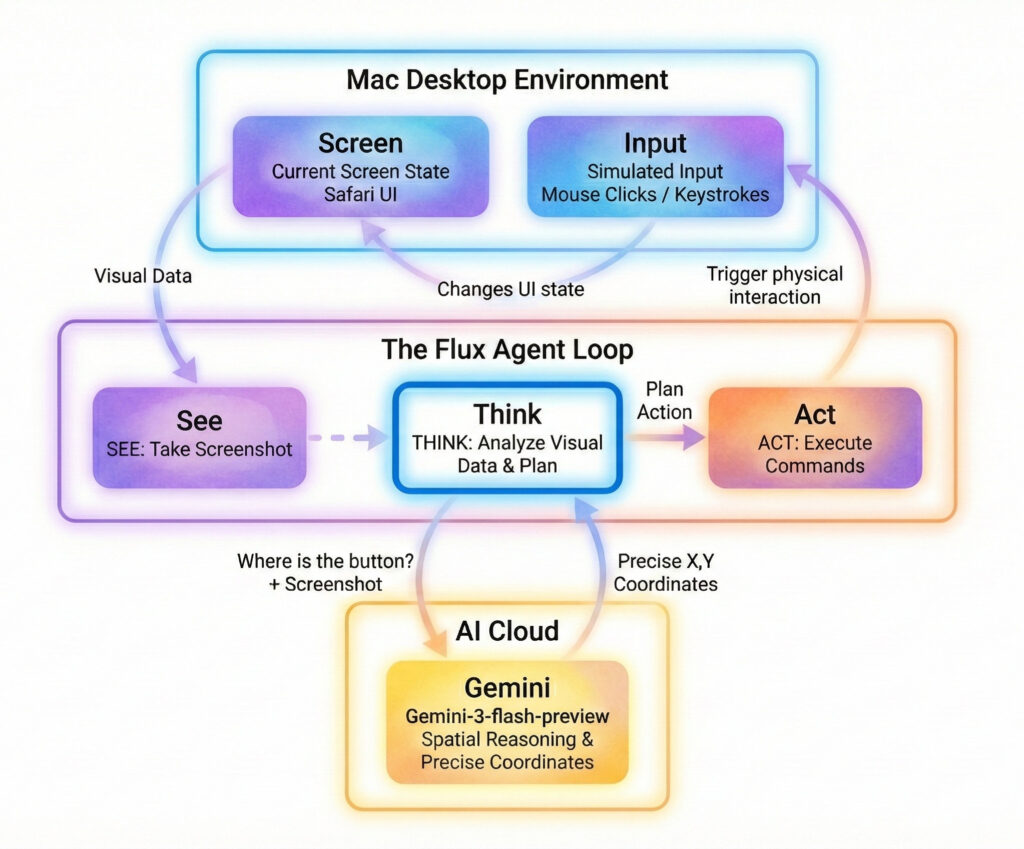
On every step, the loop is consistent:
- See: Take a screenshot of the current screen.
- Think: Analyze the visual data and plan the next move.
- Act: Trigger keystrokes, move the mouse, scroll, or execute commands.
The app reports back its decisions via logs that sync immediately to the server. This gives me a clear view of what is happening without needing to stare at the desktop where it is running.
The Model Showdown
Interestingly, the biggest challenge was spatial reasoning.
I initially tried using OpenAI gpt-5-nano-2025-08-07, gpt-5-mini-2025-08-07, and gpt-5.2-2025-12-11. While capable, all these models struggled with calculating precise mouse pointer destination coordinates based on screenshots. They kept missing the buttons, sometimes by a heavy margin.
So, I switched to gemini-3-flash-preview. While it is twice as expensive as gpt-nano, it is still incredibly cheap. More importantly, Gemini 3 Flash has been flawless so far, with zero misses on coordinate calculations.
Why? And, Why?
It is fair to ask why I would build such a sophisticated tool for such a mundane use case.
Primarily, it was fun to build. But looking at the bigger picture, this agent has legitimate real-world applications for automating tasks in the corporate world.
I hope to share more on these broader applications soon at the ai•Lab blog. If you have any specific use cases where a visual AI agent could help you, do not hesitate to get in touch via any of the channels in the site header.
You can see the full Flux posting demo here: